How to Choose Dental Software: A One-Week Trial Script
Feature lists all look alike. This one-week script tests dental software against your real work: a full day at the desk, a real chart, an invoice and a way out.
When you are working out how to choose dental software, feature lists will not help much. Most vendors tick the same boxes, and a demo shows the product on its best day, with someone at the controls who knows every shortcut. What you need to know is how it behaves on a normal Tuesday in your clinic, with your staff at the keyboard.
This guide is a script for that test. It assumes you have narrowed the field to two or three products, which our buyer's checklist can help with, and that each offers a trial. Give each product one week. Keep your real system running and use test patients. Make up the names, and never enter real patient data into a product you have not yet signed a data processing agreement with.
Before you start: set it up like your clinic
- Add your real chairs, dentists and working hours.
- Add your ten most common treatments with your prices.
- Create a login for each person who will test it, in the role they would actually have.
- Note how long this takes and whether you needed help. It tells you a lot about what the rest of the relationship will be like.
Day 1: The front desk
Ask your receptionist to do this, not the owner. Time each task against how it works today.
- A new patient calls: create the patient and book a 30-minute consultation next week.
- An existing patient wants to move their appointment to the first free slot with the same dentist.
- Block a chair for an hour for equipment service.
- Find every appointment for tomorrow and see who has not confirmed.
Pass: your receptionist can do each one without asking and would not mind doing it fifty times a day. Count clicks if you like, but the real test is whether she would choose it.
Day 2: The chair
Ask a dentist and an assistant to use it for a mock visit, ideally in the surgery with the screen where it would really be.
- Open a patient and read the medical alerts. Are they obvious?
- Chart three existing conditions and two treatments in your usual numbering system.
- Write a clinical note, the way you actually write one.
- If you do periodontal work, enter a full-mouth perio chart and time it. Then enter a second exam and compare the two.
Pass: it does not slow a real appointment down. If a dentist says, "I would write this up at the end of the day instead," take that seriously, because that is how detail gets lost.
Day 3: The money
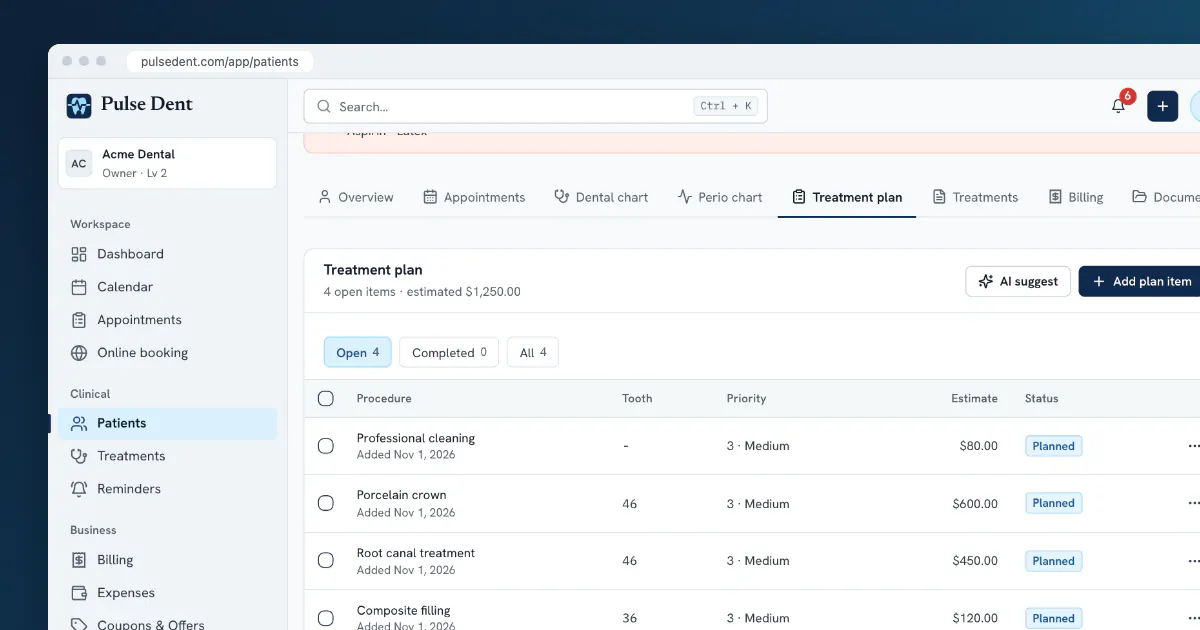
- Build a treatment plan with five items at your prices, and print or share it the way you would for a patient.
- Complete two of the items, then invoice only those two.
- Record a partial payment, and then the rest.
- Find the list of patients with open balances.
- Check that the invoice meets your country's rules, including any fiscal or tax requirements.
Pass: nothing has to be typed twice, and the balance is right at every step. Treat a wrong balance in a trial as a serious warning.
Day 4: The patient's side
- Book yourself in through the public booking page, on your phone. Would your least technical patient manage it?
- See what the clinic gets, and accept the request.
- Set up a reminder and send it to your own email. Read the message as a patient would, in your patients' language.
- Log in to the patient portal, if there is one.
Day 5: The owner's view
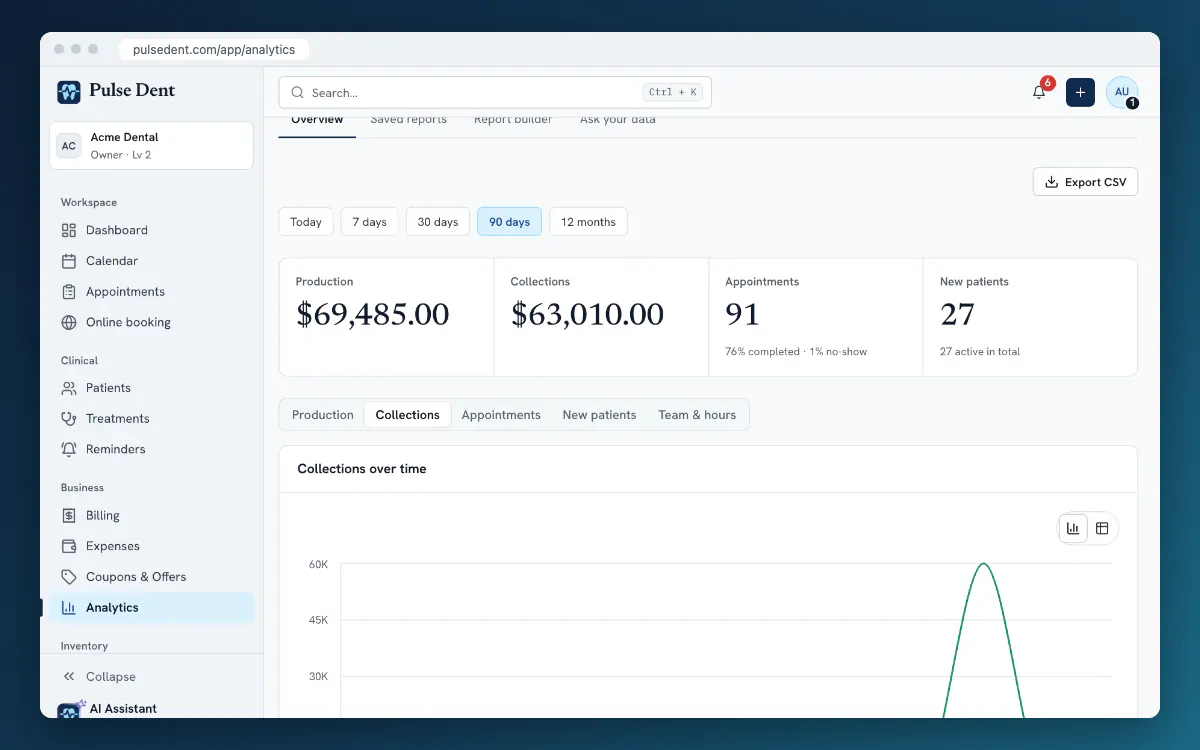
- Look at last week's numbers. Do the production and collections figures match what you entered?
- Check what a receptionist can and cannot see. Log in as them and try to open financial reports.
- If you pay doctors a share of revenue, see whether the software can calculate it.
- Look at how changes are tracked. Can you see who changed an entry?
Day 6: The way out
This step is easy to skip, and skipping it is hard to undo later. Ask each vendor, in writing:
- How do I get all my data out, in what format, and what does it cost?
- What happens to my data if I stop paying?
- Where is the data stored, and who is the data processor?
- How are backups handled?
Then export something yourself during the trial. A vague answer now will not improve once you depend on the product. See our migration plan for what a clean move looks like.
Day 7: Score it and decide
Have everyone who took part rate each product on the following, then compare the scores together:
- Speed: how fast were the everyday tasks?
- Clarity: could people work it out without training?
- Fit: does it match your numbering, currency, language and invoicing rules?
- Trust: were the numbers right, and were the vendor's answers clear?
- Support: send one real question during the trial. How long did the answer take, and did it help?
- Total cost: the subscription plus add-ons, extra users, SMS and migration.
Give the most weight to the people who will use it most. An owner who loves the reports but whose receptionist hates the calendar has not found the right product.
Warning signs during a trial
- You cannot try it without a long sales process.
- Important features are always "coming next quarter".
- Prices depend on a conversation and are never written down.
- Nobody can say clearly how you would get your data back.
Frequently asked questions
How long should a dental software trial be?
One focused week of testing is usually enough if you follow a script. A longer trial only helps if you use the time.
Should the owner choose the software alone?
No. The receptionist and assistants spend the most time in it. Let them run the test and give their opinions real weight.
Can we test with real patients?
Use made-up test patients until you have a signed data processing agreement and have decided on the product.
Key takeaways
- Test with your own work and your own staff rather than relying on a demo.
- Give each product one week and the same script.
- Check that balances and reports are right, not just that they exist.
- Ask how you get your data out before you put it in.
You can run this script on Pulse Dent. New clinics get a free 30-day trial of the Advanced plan, in English or Bosnian, and the sample data in the product tour shows how the screens fit together. Plans are listed on the pricing page. To begin, start your trial or book a demo.