Digital Patient Records in Dentistry: What Belongs in the Record
What a digital dental patient record should contain, how to keep it useful for the next clinician, and how to look after access, corrections and retention.
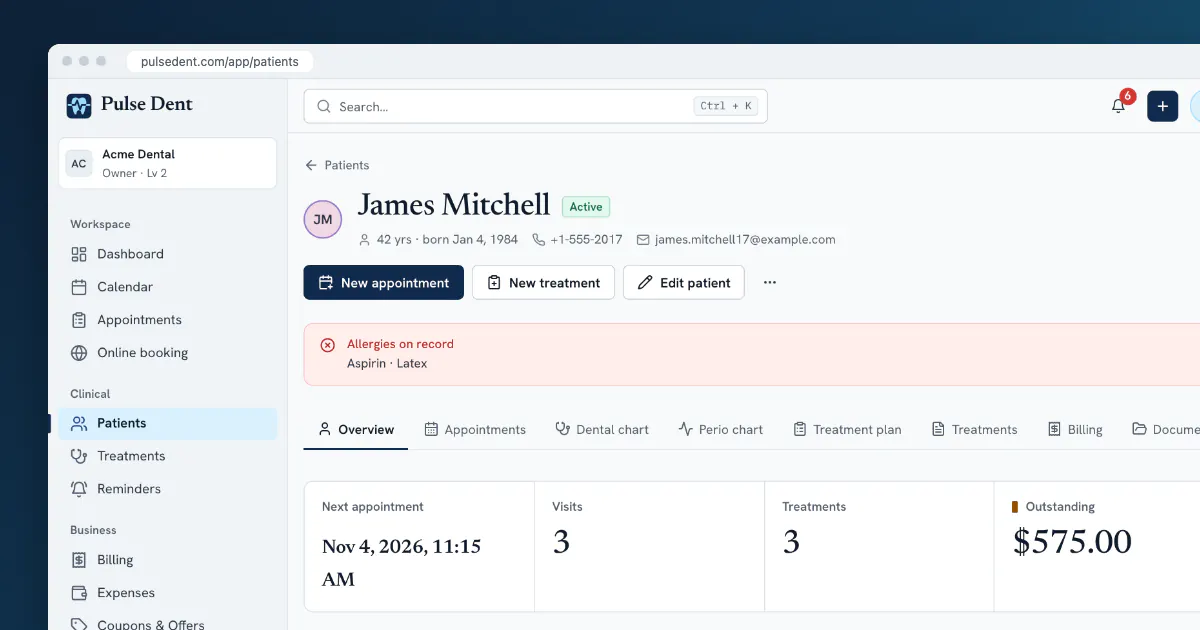
A digital patient record is more than a scanned chart. Its real benefit is that the next person who opens it, whether a colleague or you in two years' time, can tell what is going on with this patient within a minute. A record that holds everything but shows nothing is only a tidier filing cabinet.
This article covers what should be in a digital dental record, how to organise it and what to look out for around access and retention. For the wording of the notes themselves, see our guide to dental clinical notes.
The parts of a complete record
Identity and contact details
Full name, date of birth, phone and email, plus a guardian for a child. Add a patient code if your clinic uses one, as it helps tell apart two people with the same name. Record how the patient prefers to be contacted, and whether they have agreed to reminders.
Medical history and alerts
Allergies, medication, relevant conditions and anything that changes how you treat the patient. The important point is visibility: an allergy buried in a note from three years ago is not much use. Alerts should appear on the record itself, every time it is opened, and the history should be re-checked regularly rather than only at the first visit.
The dental chart
The current state of each tooth: present, missing, restored, planned for treatment. Use a single numbering system, FDI or Universal, and record findings on the tooth they apply to, including the surfaces. Our guide to dental charting covers notation in detail. For children, the record also has to handle primary teeth.
Periodontal findings
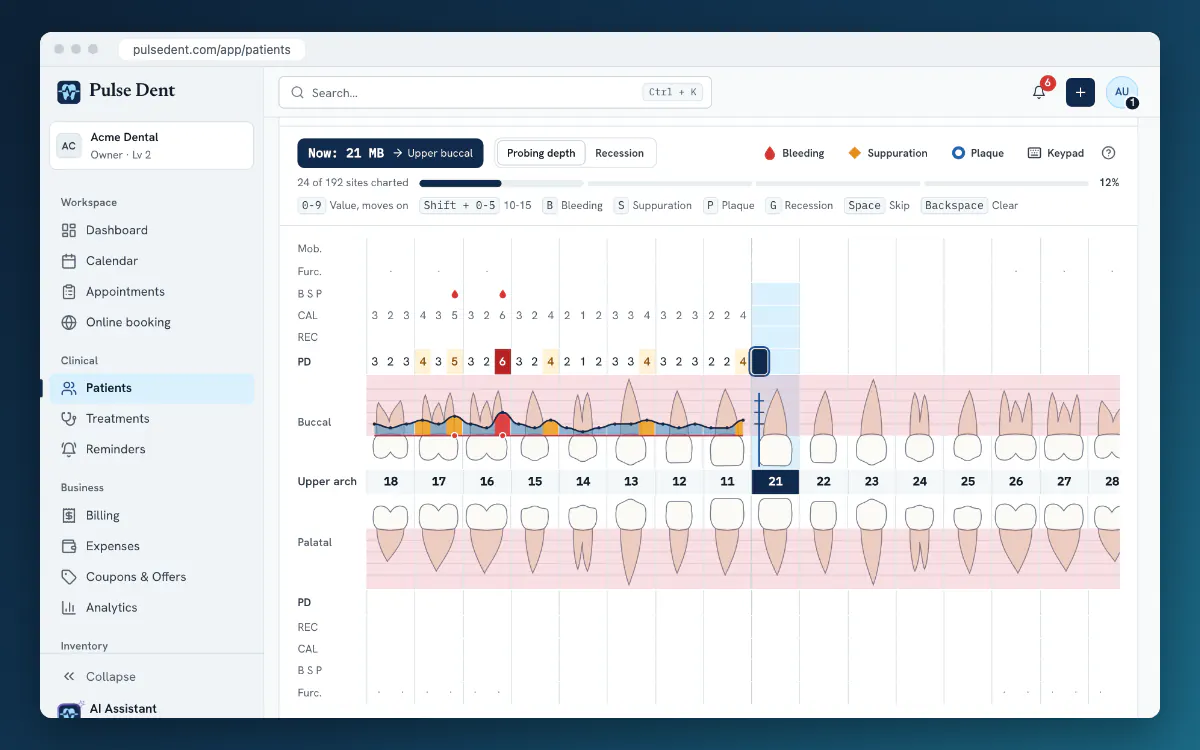
Probing depths, recession, bleeding and furcations, recorded site by site. The advantage of digital records here is comparison: when each exam is stored as data rather than a sheet of paper, you can see which sites have changed since the last one. See periodontal charting basics for the method.
Treatment plans and consent
What was proposed, what the alternatives were, what the patient agreed to and what it costs. Keep the discussion on record, including any treatment the patient declined. That protects both of you if questions come up later.
Treatments performed
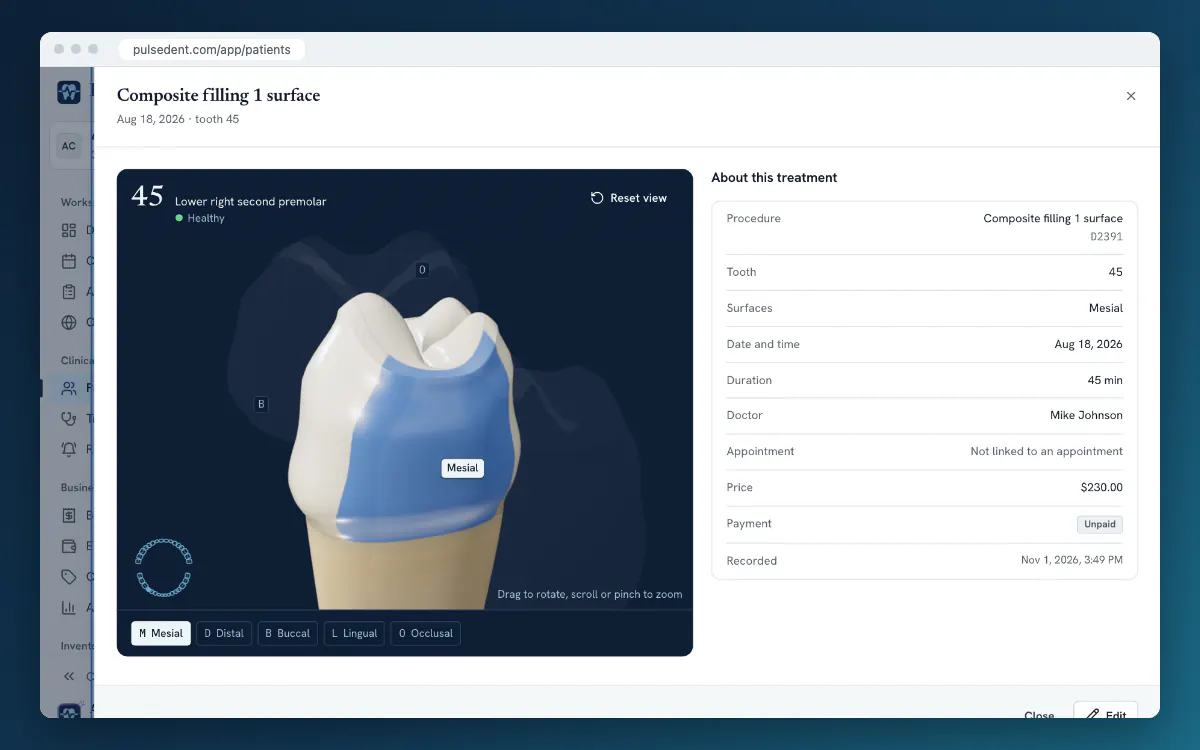
Each treatment should show the date, tooth, surfaces, procedure, the clinician who did it and any materials used. A treatment entry should stand on its own: a colleague should be able to open it and understand what happened without having to search elsewhere.
Clinical notes
A structured format such as SOAP (subjective, objective, assessment, plan) keeps notes short and easy to scan. Date and sign every entry. Write what you found and did, and leave out anything you would not want the patient to read.
Documents and images
X-rays, photos, referral letters, signed consent forms and lab documents. Attach them to the patient and label them clearly, with a date and a type. "Scan_0042.pdf" helps nobody a year from now.
Appointments and billing
Past and future visits, invoices and the current balance. Clinical staff do not always need the money side, and it is reasonable to restrict it by role. The reception desk, on the other hand, needs both the schedule and the balance.
Good habits that keep a record useful
- Record during or straight after the visit. Notes written at the end of the day lose detail.
- Use one way of doing things. Agree on abbreviations and on what goes in which field, and write it down.
- Do not paste the same text everywhere. Identical notes for different patients are a warning sign to anyone reviewing the record.
- Keep structured data structured. A condition recorded on the chart can be found and reported on. The same fact in free text often cannot.
- Update alerts. Ask about medication and allergies at each check-up and record the answer.
Access, corrections and audit trail
Health data needs stricter handling than ordinary business data. Whichever system you use, check for these:
- Personal logins. Shared passwords make it impossible to know who did what.
- Roles. A receptionist, an assistant and a dentist need different access.
- A record of changes. You should be able to see who changed what. Corrections should be visible as corrections rather than silently replacing the original.
- Locked entries where it matters. A completed exam should not be editable by accident.
- Export. Patients can ask for their data, and you may one day change systems.
How long to keep records
Retention periods are set by national law and differ widely, often with longer periods for children. Find out what applies in your country and record it in your clinic's data policy. Digital storage makes it easy to keep everything forever, but data protection rules generally expect you to keep personal data no longer than necessary. Our GDPR checklist is a starting point for clinics in Europe.
Frequently asked questions
Is a scanned paper chart a digital record?
It is a digital copy, and it is useful for keeping history available. However, you cannot search it, report on it or compare it from one visit to the next. New findings should go in as structured data.
Can patients see their digital record?
Patients generally have a right to access their data, although the details depend on national law. A patient portal can show them appointments, invoices and shared documents without a phone call to the clinic.
Who owns the record if a dentist leaves the clinic?
This depends on national rules and on your contracts, so settle it in writing in advance. Practically, a system with individual logins lets you remove access on the day someone leaves, while the record stays with the clinic.
Key takeaways
- A good record lets the next clinician understand the patient in a minute.
- Alerts belong on the record itself, not buried in old notes.
- Keep findings as structured data so they can be compared over time.
- Use personal logins, roles and a record of changes, and know your retention periods.
In Pulse Dent, the record brings these parts together on one page: allergies shown at the top, a dental chart in FDI or Universal numbering, perio exams you can compare, treatment plans, treatments with a 3D view of the tooth, SOAP notes with optional AI dictation, documents and billing. Roles limit who sees what, and changes are written to an audit log. AI dictation is part of the Advanced plan, which is also what the trial runs on. Take the product tour, see the plans or start a free 30-day trial.