The Digital Dental Clinic: How to Move From Paper, Step by Step
What a digital clinic for dentists really means, what to move first, what to keep on paper for now and how to get the team through the first month.
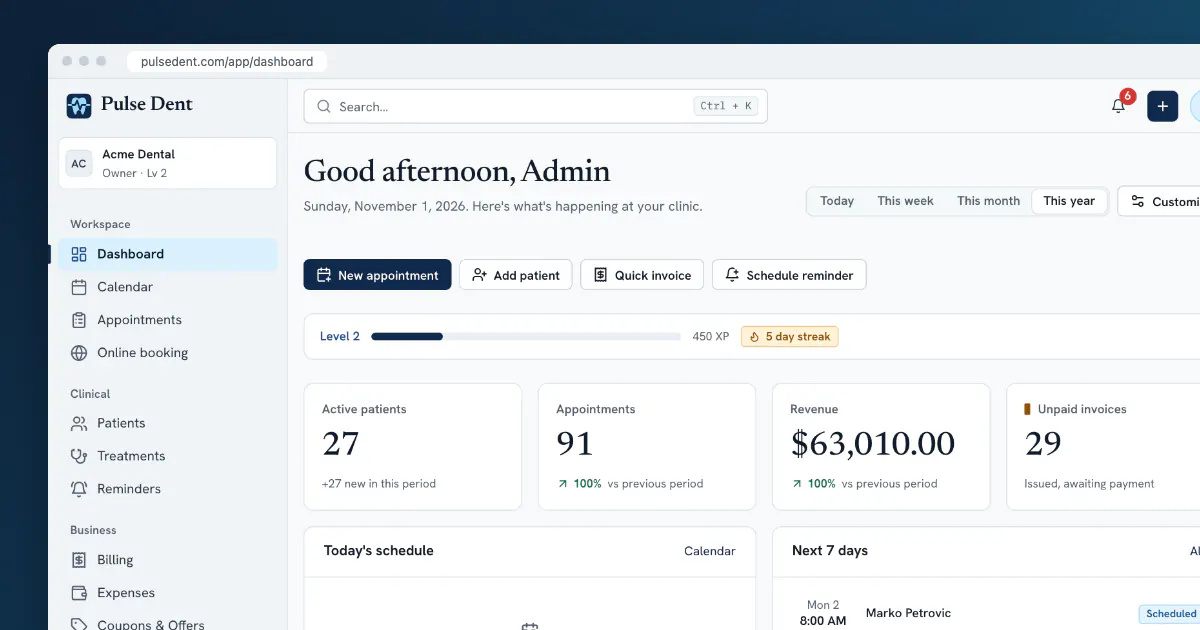
A digital clinic for dentists does not mean a room full of scanners and screens. It means that the information your clinic runs on, such as appointments, charts, invoices and reminders, lives in a shared system instead of in a diary, in folders and in one person's head. Some of the most digital clinics have modest equipment. They simply never have to ask, "Where is that patient's card?"
This guide is for clinics still working mostly on paper, or on a mix of paper and spreadsheets. It sets out what to move first, what can wait and how to avoid the two-systems trap that can derail these projects.
Why clinics make the move
The reasons are usually practical rather than technological:
- Time at the front desk: confirming appointments by phone and hunting for charts takes hours every week.
- Missed income: treatments that are done but never billed, and recall patients nobody contacts.
- Access: a paper chart can be read by one person, in one room.
- Patient expectations: many patients now expect reminders and a way to book outside working hours.
- Visibility: owners want to know how the month is going without a manual count.
What to move, in order
Doing everything at once is a common mistake. Each step below is useful on its own, and each one makes the next one easier.
Step 1: The calendar
Start here, because everybody uses it and the benefit shows the same week. Set up your chairs, dentists and working hours, then enter future appointments. From an agreed date, the digital calendar is the only calendar. Put the paper diary away, because keeping both is how double bookings happen.
Step 2: Reminders
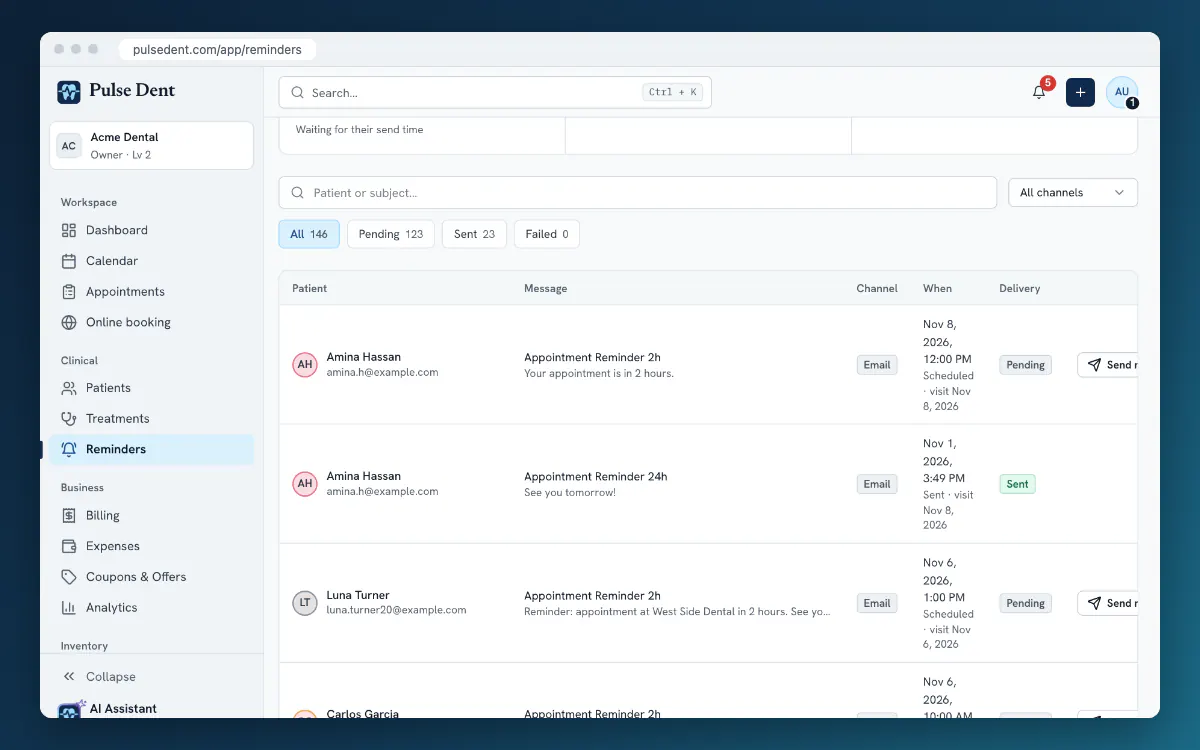
Once appointments are in the system, turn on automatic reminders. This takes little effort and it is usually the first change patients notice. It also frees the time the team needs for the later steps. Our guide on reducing no-shows covers timing and wording.
Step 3: New patients and new visits
From now on, every new patient gets a digital record, and every visit is recorded in the digital chart. This is the step where the dentists' habits change, so plan for a slower week. Keep the schedule a little lighter if you can, and agree on a short format for clinical notes. Our guide to clinical notes can serve as the template.
Step 4: Billing
Move invoicing once treatments are being recorded digitally, so that invoices can come directly from what was done. Check your country's rules for invoices and fiscal devices first. Start with new invoices and leave closed years in your old records.
Step 5: Everything else
Online booking, a patient portal, inventory and detailed reports all build on the steps above. Add them one at a time, when somebody on the team has the time to look after them.
What about the old paper charts?
You do not have to type in years of history. A practical approach most clinics can manage:
- Active patients: create the record when the patient next comes in. Enter contact details, allergies and medical alerts, and the current state of the chart.
- Old charts: scan the paper chart and attach it to the record when you need it. There is no reason to scan a whole archive at once.
- Inactive patients: keep the paper archive locked and retained for as long as your national rules require. Check those periods before you destroy anything.
If you already have a spreadsheet or a previous program, importing the patient list saves a lot of typing. Our migration plan explains what to check.
Equipment you actually need
Less than most people expect. A cloud system needs a reliable internet connection, a computer at reception and a screen or tablet in each surgery. A simple scanner is enough for documents. Before buying anything, test the software on what you already have. Plan for a backup connection as well, such as a phone hotspot, so an outage does not stop the day.
Getting the team through the first month
- Name one owner. One person, often the practice manager or lead receptionist, decides how things are done and answers questions.
- Agree on a cut-over date. From this day, the new system is the truth. Running two systems for long means neither can be trusted.
- Train on your own work. Practise booking, charting and invoicing with test patients rather than watching a generic demo.
- Review weekly. Spend fifteen minutes on what was slow and fix one thing each time.
Patient data: going digital changes your duties
Moving data into a system does not remove your responsibility for it. Give each person their own login, give roles only the access they need, and make sure you have a data processing agreement with your software provider. Tell your team how to handle lost devices. Our GDPR checklist goes through this step by step.
Frequently asked questions
How long does it take to go digital?
The calendar and reminders can be working within days. Moving clinical records and billing typically takes a few weeks of steady habit change, depending on the size of the team and how busy the clinic is.
Do we have to scan all our old charts?
No. You can create digital records when patients next attend, and scan older charts only as needed. Keep the paper archive for as long as your national retention rules require.
What happens if the internet goes down?
A cloud system needs a connection, so have a backup such as a mobile hotspot. It also helps to keep a printed or offline copy of the next day's schedule.
Key takeaways
- A digital clinic is about shared information, not expensive equipment.
- Move in order: calendar, reminders, clinical records, billing, then everything else.
- Do not retype history. Create records as patients return and scan old charts when needed.
- Set one cut-over date and one owner, and do not run two systems for long.
Pulse Dent is designed so a clinic can follow this order: it runs in the browser with nothing to install, and you can start with the calendar and reminders, then add charting, billing, online booking and inventory as you are ready. A data migration tool helps bring your patient list across. Reminders are part of the Advanced plan, which is also what the trial runs on. Take the product tour, compare the plans or start a free 30-day trial.